Image: Wired
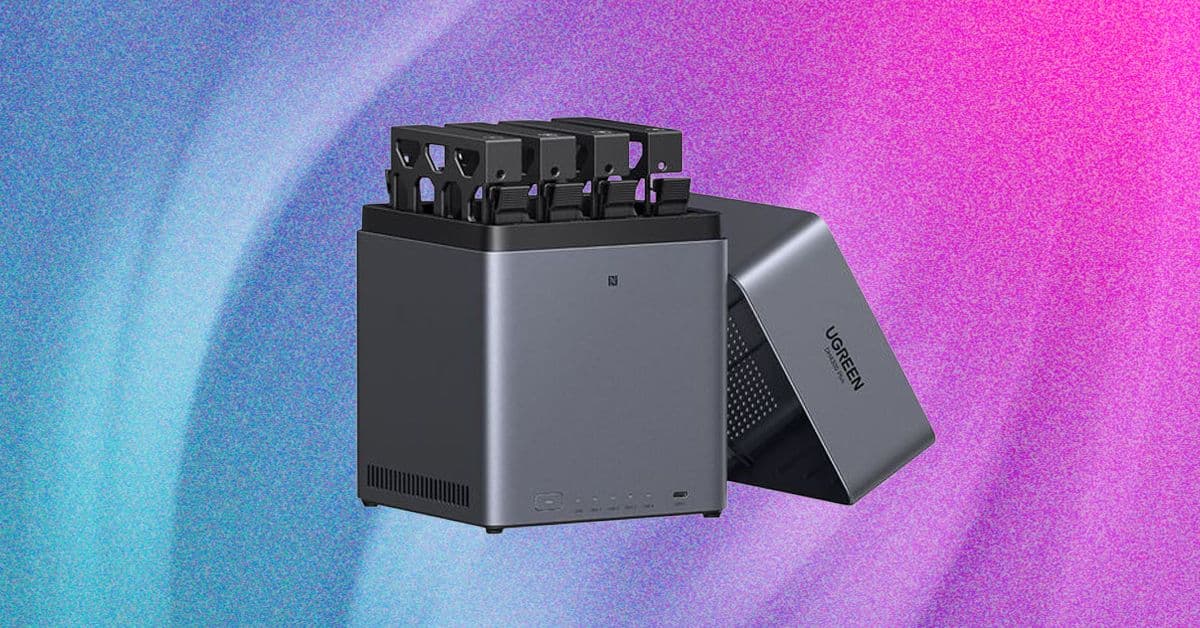
Discover how to set up your own NAS server for secure backups and media streaming, empowering your digital life with privacy and control.
GlipzoA NAS server acts like a private cloud, allowing you to store files securely within your home. By keeping your data on a NAS, you avoid the risks associated with third-party cloud services that store your information in locations far from your control. Moreover, you have the option to configure user accounts, providing different access levels for family members or friends if you choose to share your storage.
As a writer with countless essential files, from drafts to family photos, I know how critical it is to have reliable backups. Until recently, I relied on USB drives and cloud services for my data security. However, the introduction of a NAS server has streamlined my backup process and improved my overall data management significantly.
The appeal of streaming services like Netflix and Spotify has diminished for many, including myself, due to rising costs and ads. I took this opportunity to digitize my extensive physical media collection, creating a central hub for my favorite TV shows, movies, and music. Setting up my NAS was the perfect catalyst to get this project underway.
1. Choose Your NAS Device: Select a NAS that fits your storage needs and budget. 2. Install Ripping Software: Use tools like MakeMKV to rip your physical media, and HandBrake for compression. 3. Set Up Streaming Software: Install Jellyfin or Plex on your NAS to create a user-friendly streaming interface. 4. Configure Devices: Set up the NAS on all your devices, including TVs, phones, and tablets.
By following these steps, you’ll be able to enjoy a seamless streaming experience at home, replicating a Netflix-like interface for your media library.
These options not only save costs but also enhance your control over your digital environment. Additionally, I’m currently exploring options for using Proton VPN to securely access my NAS from outside my home.
Investing time in setting up your NAS can lead to long-term savings and a more organized, secure way to manage your files and media. It empowers you to curate your digital experience without relying on external companies that may not prioritize your privacy.
Keep an eye on advancements in NAS technology, such as improved software solutions and faster hardware options, which can further enhance your experience. As more individuals seek self-sufficiency in managing their data, the popularity of NAS servers is expected to grow, leading to a more informed and empowered digital community.
Embrace the journey of setting up your own NAS server and take control of your digital assets today.
Nvidia's new RTX Spark chip aims to transform personal computing with AI, marking a significant shift in technology. Discover what this means for consumers.
BBC Business
The explosion of Blue Origin's New Glenn rocket raises significant concerns over NASA's lunar ambitions and the future of Amazon's satellite projects. Discover the implications.
BBC Science
Discover how Meta's lack of engagement on user bans raises critical concerns about accountability and transparency in social media governance.
BBC Technology